Become a Partner
Add OffSec to your list of training providers
Partner with usOrganizations
Provide continuous Learning Library access to build cyber workforce resilience
Hands-on training in live-fire, simulation environments
Let OffSec conduct a comprehensive vulnerability assessment
Individuals
Flexible options based on your learning goals

12-month access to a single course, related labs, and two exam attempts

90-day access to a single course, related labs, and one exam attempt

12-month access to introductory- and essential-level content
OffSec-curated private labs to practice and perfect your pentesting skills
Add OffSec to your list of training providers
Partner with usOffSec office hours every Friday on Twitch
OffSec Twitch
OffSec Wins Seven Global InfoSec Awards during RSA Conference 2024
Read blogWhen it comes to vulnerability verification, penetration testers often have an array of tools at their disposal. Metasploit Community Edition provides us with a graphical user interface (GUI) that simplifies network discovery and vulnerability verification for specific exploits, increasing the effectiveness of vulnerability scanners such as Nessus, Nexpose, and so forth.
Metasploit Community Edition enables us to:
Map out our network – Host identification, port scanning and OS fingerprinting.
Integrate with other vulnerability scanners – Import data from Nessus, NMAP, and other solutions. In addition, Nexpose scans can be initiated from within Metasploit Community Edition.
Find the right exploit – With the world’s largest quality-assured exploits, finding the right exploit is just seconds away!
Verify remediation – Do you think your host has been patched against a specific vulnerability? Fire an exploit and find out!
And the best part? Metasploit Community Edition is provided to the InfoSec Community FREE of charge.
As the name suggests, this is the commercial version of Metasploit and requires a valid license. The difference between Metasploit Community Edition and Metasploit Pro can be best illustrated by the following diagram:
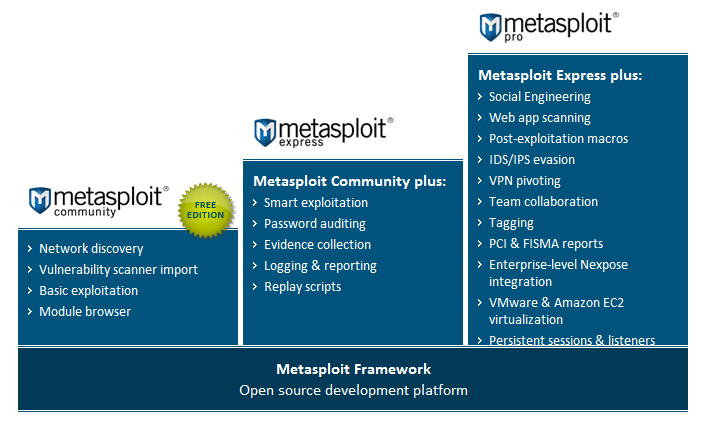
Clearly, Metasploit Pro has additional features such as Social Engineering, Web App Scanning, IDS/IPS evasion, superior reporting capabilities, and so forth.
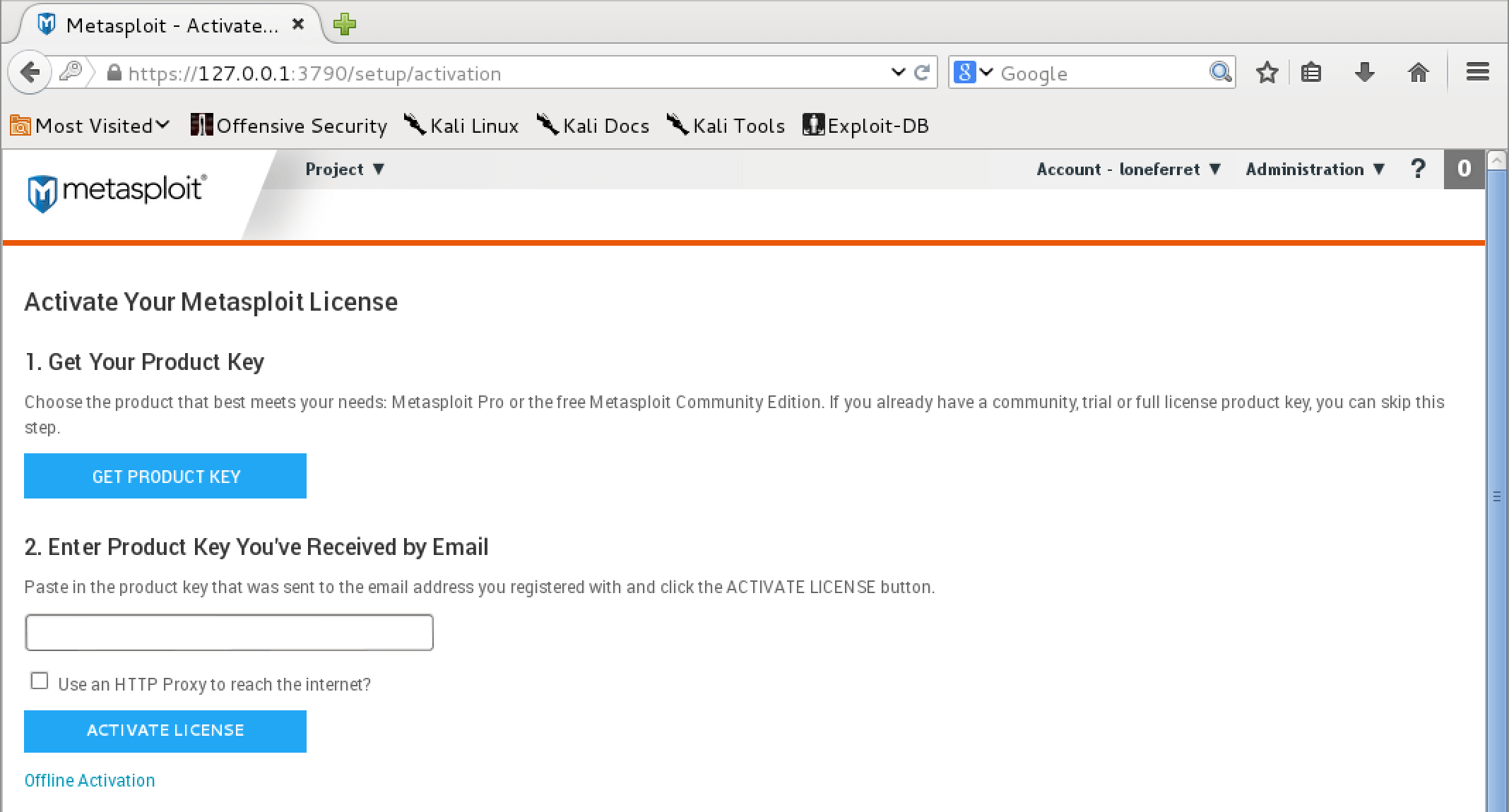
The activation process is quite simple, so let us walk through it together: